
Knowledge Center
How to Calibrate and Verify Your Digital Tint Meter for Accurate Readings
A digital tint meter is only as useful as your confidence in its readings. The Tint-Chek manuals say to verify your meter on a regular basis, using the calibration standards that come with it. This guide explains how Tint-Chek meters calibrate themselves at start-up, how to verify a meter with its standards, and what to do if a reading falls outside the allowed range.
What is the difference between calibrating and verifying a tint meter?
For a Tint-Chek meter, calibration and verification are separate steps:
• Factory calibration. Tint-Chek meters come from the factory calibrated to a NIST traceable standard.
• Self-calibration at start-up. The TC1800 has auto-calibration at start-up, the TC2800 manual tells you to turn the meter on and wait for it to self-calibrate, and the TC3800's instrument unit self-calibrates at start-up.
• Calibration monitoring. The TC1800 and TC2800 continually monitor their calibration during measurements. If one detects a problem with the calibration, it resets itself.
• Verification. You check that the meter reads correctly by measuring the two calibration standards that come with it.
What are Tint-Chek calibration standards?
Two light transmission test standards come with each meter. For the TC1800 and TC2800, the standards have VLT values of approximately 27% and 59%. The actual calibrated value of each standard is printed on a label on the standard. The standards were created using a NIST traceable source.
The standards are what you verify a window tint meter against. If you need replacements, use part number TC1810 for the TC1800 and TC2800, or part number TC3811 for the TC3800.
How do you verify a digital tint meter?
Use these steps for the one-piece TC1800 and TC2800:
1. Start with an empty opening. Turn the meter on with no glass in the opening and wait for it to self-calibrate. If you turn it on with glass in the opening by mistake, remove the meter from the glass and turn it back on.
2. Read the label. Find the indicated VLT value printed on the first calibration standard.
3. Measure the standard. Place the meter on the standard and read the result.
4. Compare. The meter should read within ±2% of the indicated value on the label.
5. Repeat. Do the same with the second standard.
When you place the meter on glass, slide it completely on until it clamps in the meter opening. Do not tilt the meter or the glass.
What should you do if the reading is outside ±2%?
• Inspect the quality of your calibration standards.
• If the standards are in great condition, stop using the meter until the calibration can be verified or corrected.
• If you have questions, EDTM's product pages invite you to pick up the phone and call.
How do you verify a two-piece TC3800?
The two-piece TC3800 uses the same ±2% check. As a tint tester with separate pieces, it works a little differently. The instrument unit holds all of the electronics and self-calibrates at start-up. The reflector unit has no electronics and simply houses the reflector and the magnets that align the two pieces.
• If a TC3800 reading is outside ±2%, inspect the cleanliness of the reflector area of the reflector unit, and use compressed air to blow off the back side of the instrument unit as well.
• Before using the standards, make sure they are clean.
• An E1 error may occur if the instrument unit is not properly aligned with the reflector unit at start-up.
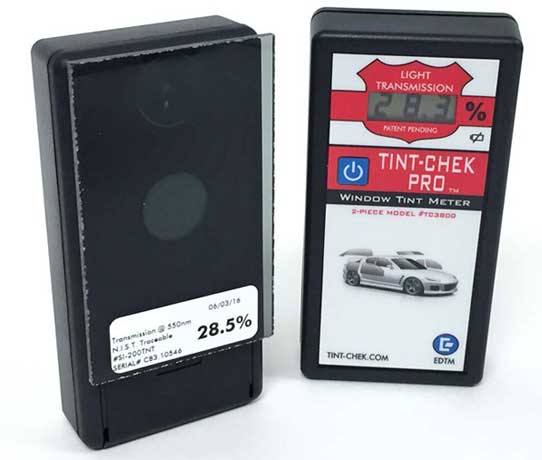
How often should you verify a tint meter?
The Tint-Chek manuals say to verify your meter on a regular basis. If your shop or agency has its own policy, follow it.
Does 0.1% resolution change how you verify?
The TC2800 and TC3800 display readings to the nearest 0.1%. The check against the standards still uses the same ±2% range. A tint tester with a finer display shows more detail, but the pass test is the same.
How do you keep a tint meter ready between checks?
• Keep the standards in good condition. If you need replacements, order TC1810 or TC3811.
• Keep the TC3800 reflector area clean.
• Watch the battery. The TC1800 has a low battery warning. The TC3800 has a slide-out battery cover that sits away from the electronics, so changing the battery does not risk damaging the unit or your calibration.
• Use the carrying case. Every model comes with a protective carrying case.
Tint-Chek calibration at a glance
|
|
TC1800 |
TC2800 |
TC3800 |
|
Factory calibration |
NIST traceable |
NIST traceable |
NIST traceable |
|
Self-calibration at start-up |
Yes |
Yes |
Yes, instrument unit |
|
Calibration standards included |
Two NIST traceable |
Two NIST traceable |
Two NIST traceable |
|
Verification range |
Within ±2% of indicated values |
Within ±2% of indicated values |
Within ±2% of indicated values |
|
Replacement standards |
Part TC1810 |
Part TC1810 |
Part TC3811 |
Frequently asked questions
How do you calibrate a digital tint meter?
Tint-Chek meters come from the factory calibrated to a NIST traceable standard, and they self-calibrate each time you turn them on. You then verify the meter by measuring the two calibration standards that come with it.
What are the Tint-Chek calibration standards?
Two light transmission test standards come with each meter. For the TC1800 and TC2800, they have VLT values of approximately 27% and 59%, and the actual calibrated value is printed on a label on each standard. They were created using a NIST traceable source.
What does within ±2% mean?
The check passes when the meter reads within ±2% of the value indicated on the standard's label.
What should you do if the meter reads outside ±2%?
Inspect the quality of your calibration standards. If the standards are in great condition, stop using the meter until the calibration can be verified or corrected.
How often should you verify a tint meter?
The Tint-Chek manuals say to verify your meter on a regular basis. If your shop or agency has its own policy, follow it.
Where do you order replacement calibration standards?
Use part number TC1810 for the TC1800 and TC2800, and part number TC3811 for the TC3800.
What does an E1 error mean on the TC3800?
An E1 error may occur if the instrument unit is not properly aligned with the reflector unit at start-up.
What if you turn the meter on with glass in the opening?
Remove the meter from the glass, then turn the meter back on with no glass in the opening.
Choose a tint meter that comes with its standards
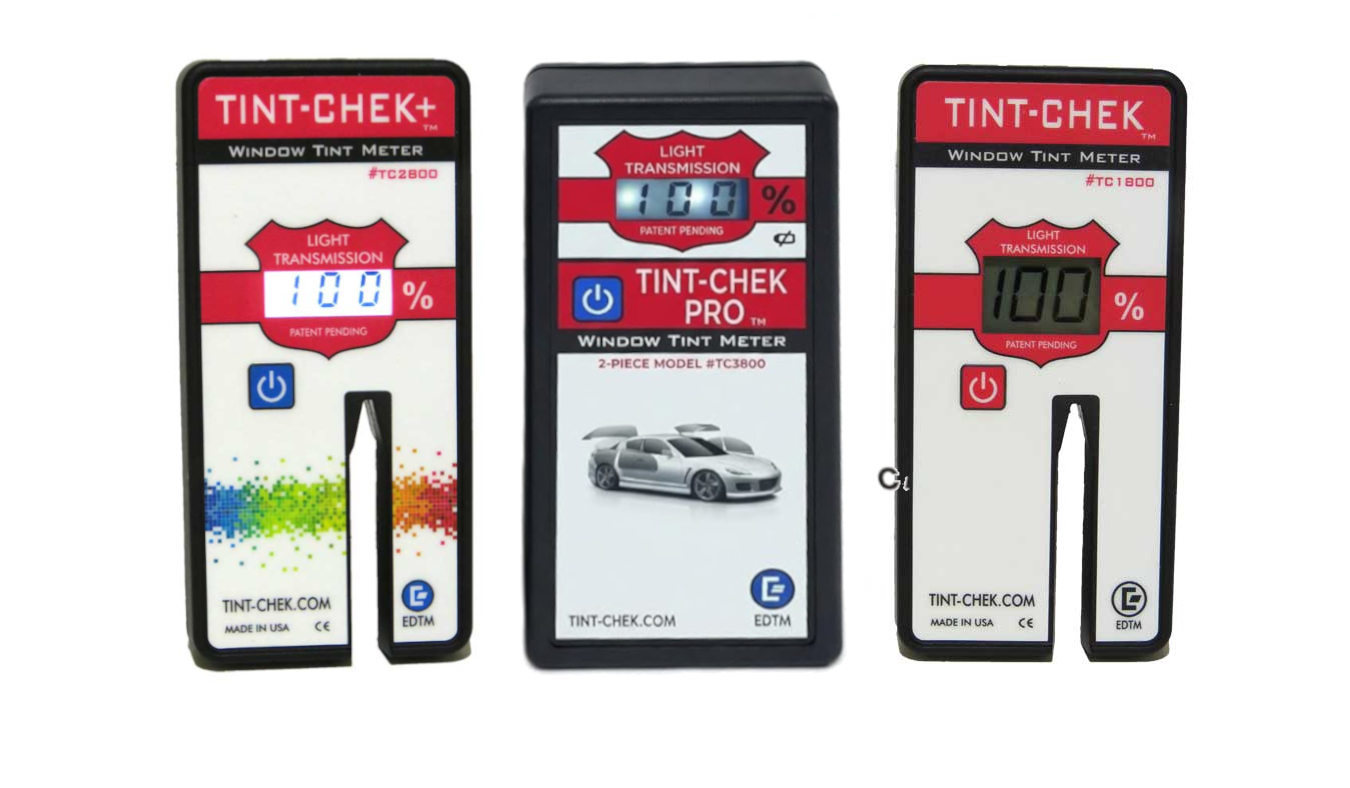
Every Tint-Chek model ships with two NIST traceable calibration standards, so you can verify your meter from day one. Browse EDTM's full range of window tint meter models to compare the TC1800, TC2800, and TC3800.